
Tripling non-medication sales on PetMeds
Worth a read if you're interested in AI personalization, machine learning, data modeling or e-commerce.


Background
Founded in 1996 as 1-800-PetMeds, PetMeds was a pioneer in moving pet care out of brick-and-mortar stores. They’ve served millions of customers and have built up a loyal base of pet parents who appreciate the company for its primary offering — budget-friendly pet medications that conveniently arrive at customers’ doorsteps, and excellent customer service support.
The Goal
With the rise of companies entering in the pet health e-commerce world, PetMeds saw an urgent need to become more than just a pharmacy, but a total pet health & wellness company.
This initiative included expanding the types of products customers go to them for — beyond medication and into food and supplies.
The Challenge
PetMeds already carried non-medication items, which saw very low conversion rates.
We needed to pinpoint why their customers only purchased medication and identify high-impact ways to get customers to engage with products in other categories.
Additionally, we needed to do it all without causing interruption or harm to their strong medication sales.
Results
Among customers who saw the personalized homepage:
- About 3x non-medication sales
- Average order value up $15+
- No impact on medication sales
Success Pillars
We first identified three pillars that our work would have to achieve in order to meet our goal:
Awareness
People must be aware that PetMeds offers more than medication. We must visualize pet food & supplies wherever users’ eyes and attention are
Motivation
Once people know these products are there, they need a reason to purchase it through PetMeds specifically. These key motivations include savings & ease.
Findability
Once users are both aware the PetMeds sells non-medication items and are motivated to buy them from PetMeds, they must be able to easily find the items they want
Mapping key user flows
With these pillars guiding our work, we set out mapping out key user flows to highlight what users are seeing and doing when they interact with PetMeds. Given that we had been working with PetMeds for over a year already, we already knew a lot their journeys.
1. Existing customer reordering a medication
Existing customers generate the most revenue and have already adopted PetMeds, so they were our biggest opportunity. They visit the site 2-3 times per year to refill medications, usually through an email reminder straight to My Account or even into checkout.
This journey — while highly effective at converting them to reorder medication — has almost no opportunity to show them merchandise.

- Merchandising opportunities
- No merchandising opportunities
2. Customer shopping for a medication
When people’s pets are prescribed a new medication and they decide to shop online for it instead of purchasing through their vet, they either go to PetMeds.com and use the search bar, or end up directly on a Product Detail Page (PDP) via search engine result.
Neither the homepage nor search highlights non-medication items, the PDP’s merchandising carousels sit far below where this mission-driven user is looking, and the cart only merchandises prescription items.

- Merchandising opportunities
- No merchandising opportunities
3. Customer looking for their pet’s food
Most pet parents are very loyal to a particular food brand, and we hypothesized that once customers were aware that PetMeds offers non-medication items and saw value in purchasing from the company, the first thing they would do is seek out their specific food brand and product.
Food is deprioritized in the most-used navigation menus, and the filters on product listing pages are buggy, making finding a particular product difficult and frustrating.

- Merchandising opportunities
- No merchandising opportunities
Building a personalized homepage
Instead of bringing customers to their My Account page to reorder a medication, we designed and tested a personalized homepage experience, where we not only improve the reordering experience but also could get their eyes on non-medication merchandise.


 Shop FoodMedicationShop By ConditionToday's DealsPet Health Advice
Dog food
- Dry food
- Wet food
- Puppy food
- Senior food
- Small breed
- Treats
Cat food
- Dry food
- Wet food
- Kitten food
- Senior food
- Treats
By health need
- Skin & coat
- Sensitive stomach
- Weight management
- Joint support
- Veterinary diets
Top brands
- Purina Pro Plan
- Hill’s Science Diet
- Royal Canin
- Blue Buffalo
- Forza10
Veterinary diets
Prescription food, shipped with your pet’s meds
Welcome back, Jonathan!
Medications
 Billie
 Luna
Capstar Flea & Tick
11–25 lbs · 6 tablets
Last ordered
Jun 8, 2022
Save $35 with Autoship
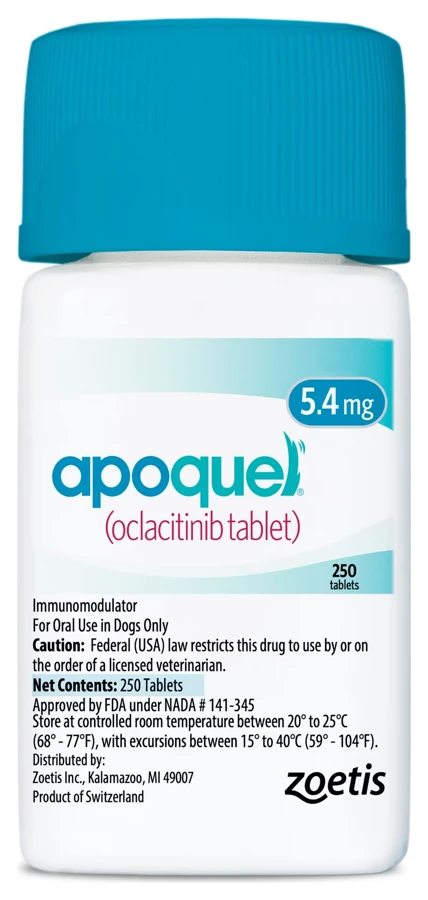
Apoquel
5.4 mg · 30 tablets
Last ordered
Jun 8, 2022
Save $35 with Autoship
Best sellers for Brussels Griffons with skin allergies
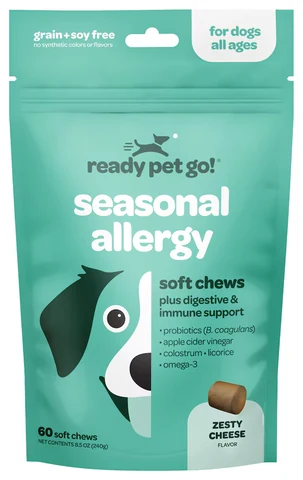

Meijer Ready Pet Go Seasonal Allergy Bites
$14.99
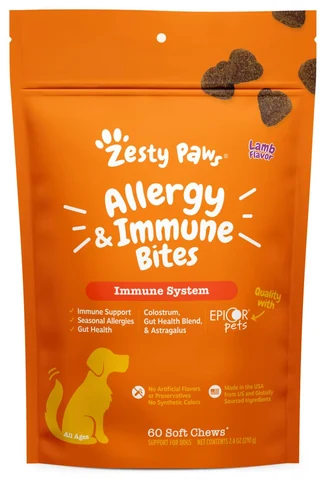
Zesty Paws Allergy & Immune Bites for Dogs
$32.29

Purina Pro Plan Small Breed Adult Dog Food
$38.99

Yukumi Amino Acid Shampoo
$32.29
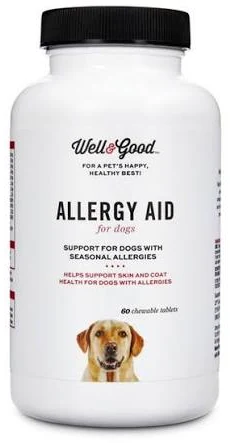
Well & Good Allergy Aid
$32.29
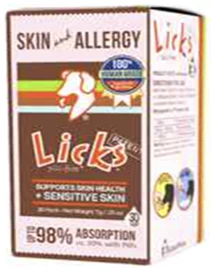
Licks Skin and Allergy
$32.29
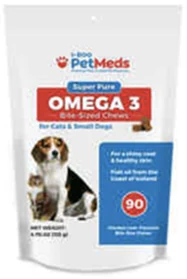
Omega-3 Dog Treats
$14.99
Nutrition for Billie & Luna
See more food categories
 HealthWhy some dogs snore, and when to see a vet


Pharmacy / Allergy & Itch / Apoquel
Frequently bought together
Omega-3 Dog Treats
$14.99
Zesty Paws Allergy & Immune Bites for Dogs
$32.29
Licks Skin and Allergy
$32.29
Zoetis
Apoquel (oclacitinib) Tablets for Dogs
4.8 · 1,024 reviews·82 questions answered
Strength
Package
Quantity
1In stock · Ships once your vet approves
Supplement your medication with healthy nutrition
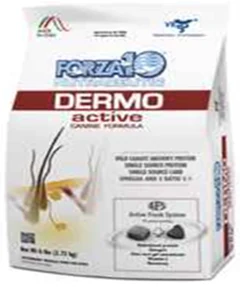
Forza10 Nutraceutic Active Dermo Dry Dog Food
$32.29
Product details
Apoquel controls itching and inflammation from allergic skin disease in dogs 12 months and older. It starts relieving itch within 4 hours and controls it within 24 hours, for both short- and long-term use.
Ingredients
How to use
Questions & answers
Brussels Griffon parent favorites
Shop all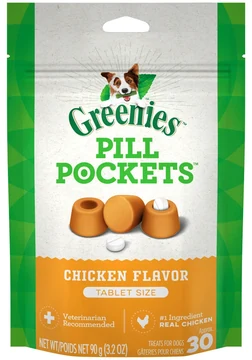
Greenies Pill Pockets, Chicken
$9.99
Purina Pro Plan Small Breed Adult Dog Food
$38.99
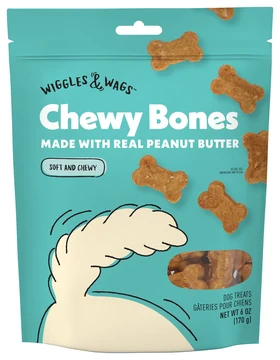
Wiggles & Wags Chewy Bones
$7.99
Yukumi Amino Acid Shampoo
$32.29
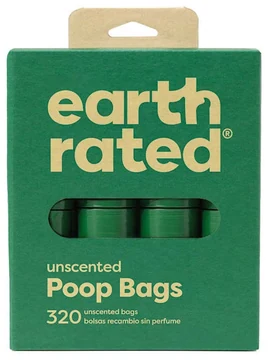
Earth Rated Poop Bags, 320 ct
$14.99
Species + size. Billie is a dog, and her Capstar dose puts her at 11–25 lb.
Species + life stage. Billie is a dog, and she’s 11, from her pet profile, so she’s a senior.
Species + health condition. Billie is a dog, and her Apoquel prescription means she likely has sensitive skin.
Breed. Brussels Griffon, from Billie’s pet profile.
Health condition. Never asked. Billie’s Apoquel prescription means she likely has skin allergies.
Order. Ranked by what owners of Brussels Griffons with skin allergies, or of dogs on Apoquel and similar medications, buy most.
Species + size. Billie is a dog, and her Capstar dose puts her at 11–25 lb, so small-breed food.
Species + health condition. Billie likely has sensitive skin, from her Apoquel prescription, so a veterinary skin diet.
Species + life stage. Billie is an 11-year-old dog, so joint support for seniors.
Species + life stage. Luna is a senior cat, from her pet profile.
Breed attribute. Brussels Griffons are short-snouted, which is linked to snoring and breathing, so Billie sees this one.
Life stage. Billie’s age, from her pet profile, puts her in the senior life stage.
Species + location. Luna is a cat, from her pet profile, and the household’s address is in a cold-winter climate.
Beyond that, the merchandise we show customers aims to pique their interest by being personalized to each customer’s pets’ ages, breeds, and health conditions.
Machine learning & data personalization
Because most of PetMeds' customers have purchased a prescription item, and prescription items require people to provide detailed information about their pets, we wanted to leverage this data as much as possible.
I proposed going past hand-written rules to a machine learning model that matches products and articles to each pet. Dozens of conditions, life stages, breeds and climates across thousands of products is millions of combinations — rules cover the obvious ones, and a model learns the rest from what customers actually buy. We explored IBM Watson for tagging products from their descriptions.
The original files from 2022 didn’t survive, so the diagram and tables below are reconstructed.
What we knew about each pet
| Signal | Where it comes from | Example |
|---|---|---|
| Species & breed | Pet profile, prescriptions | Dog, Brussels Griffon |
| Weight | Prescriptions (doses are weight-based) | 11–25 lb dose |
| Age | Pet profile | 11 years |
| Medications | Order history | Apoquel, Capstar |
| Health conditions | Inferred from medications | Skin allergies |
| Location | Shipping address | A high-tick region |
| Purchase history | Orders | Last ordered in June |
How it decides what to show
A knowledge graph holds what PetMeds knows to be true — short-snouted breeds are heat-sensitive, Apoquel treats allergic itch, allergic itch calls for skin & coat products — so recommendations work from day one and can explain themselves. From there, two stages narrow thousands of items down to the few each pet sees:
Retrieval
Pulls a few hundred candidates per pet from several sources: items bought by customers with similar pets, items often bought alongside their medications, and knowledge-graph matches.
Ranking
A learned model scores how likely each candidate is to be added to the cart, including combinations nobody wrote down — like senior dogs with skin conditions in cold climates.
Re-ranking
Rules the model shouldn’t decide on its own: variety across categories, deals, nothing that conflicts with a medication on file, and a short reason label for the UI.
How it works across the homepage
The rail takes what’s on promotion and ranks it against every pet on the account: size, life stage, species, breed attributes and health conditions, plus the household’s location and purchase history. With little pet data, it falls back to deals popular with similar households.
The heading isn’t fixed. The row is built around the most useful thing we know: health condition and breed when both are strong, size or life stage when the breed doesn’t say much, then location or season, and plain best sellers when we know very little. Another household might see “Popular with small dogs right now” or “Best sellers for cats with skin allergies.” One well-known food brand is always mixed in, so people notice PetMeds carries their food.
We usually don’t know what a pet eats yet, so this module shows a spread of food types, each matched to a pet on the account by species, life stage and size. Dog-only homes never see cat food, and whatever people click tells us what they’re into.
To push the awareness around this page being personalized (thus increasing engagement and interest) we brought in articles from PetMeds’ existing content library that users will find relevant. Each one is matched to a pet’s attributes, and location brings in season and climate.
My role
Design and strategy framed the problem and the experience; a data science team builds and runs the model.
| What I owned | What data science owns |
|---|---|
| Which slots get personalized, and what success means | Model choice, training and tuning |
| Which pet and customer signals matter | Feature pipelines |
| Shared product attributes and the starter rules | Tagging the catalog at scale |
| Fallbacks when data is missing | Offline evaluation |
| How recommendations explain themselves in the UI | Serving, monitoring and retraining |
| The medication-sales guardrail and rollout gates | Experiment analysis |
User Testing
Because the Personalized Homepage posed the largest risk to medication sales, we conducted moderated testing sessions with >10 PetMeds customers to validate the following hypotheses:
PetMeds customers log into their accounts right away when reordering medication
We need customers to land on this page either immediately (in the event they are actively logged-in already), or after just one step (hitting log-in as soon as they reach the website)
When brought to the Personalized Homepage, customers notice that it is different from the logged-out homepage
This page wouldn't be useful if customers didn't notice that it was different than the logged-out version of the PetMeds homepage
Customers immediately see that they can reorder their medication here, and do not need to go into My Account
We don't want to add an additional step to the reorder medication flow. We needed to make sure customers noticed that they can reorder their medication from here immediately
After reordering medication, customers are aware that PetMeds sells more than just medications
The point of this page is to keep medication reordering as easy as the current experience while showing customers additional merchandise, so if they didn't notice the product carousels below the reordering module, then this solution would fail
What else we learned
We learned the types of products customers are most likely to also purchase while reordering medication:
- Simple, straightforward items that almost all pet parents use regularly, like poop bags and wee pads
- Fun "bonus" items like bones and toys that give pet parents an easy way to treat their pets
Many participants mentioned they need to look at ingredients before buying an edible item — often due to allergies or other health concerns.
We also learned a lot about common barriers and preferences around auto-ship (though these learnings would go on to become work worthy of its own case study).
These findings shaped the Quickview and Mini-cart below.
Additional solutions
Optimized Quickview
To maintain the effective medication reordering funnel (and thus high conversion rates) while encouraging customers to shop for other items, we needed to optimize the Quickview functionality. Ideally, we want customers to add items to their cart without leaving this page.
Because testers told us they check ingredients before buying anything edible, our redesigned Quickview pulls in all product information.
Mini-Cart
We wanted a way to catch even the most tunnel-visioned users, so we redesigned and built a new Mini-cart experience. Upon adding an item to cart, users see a cart preview modal that includes a product carousel with the no-brainer items that user testing participants mentioned they often pick up at the pet store.
This product carousel can (and will) change based on performance metrics over time — it can include personalized categories such as “Poodle parents also bought," sale-driven ones like “We found this for you in sale,” or simply “You May also like.”
Navigation Menu
By introducing a high-level “Food” category on the navigation, we offered a low-lift, zero-risk way to show customers that PetMeds offers products other than medication before they even move around the website. Later unmoderated user testing showed that nearly 70% of desktop users noticed and interacted with the "Shop Food" navigation category when looking for a food item.
Search
To cater to the majority of user groups who interact primarily with Search, we found ways to surface non-medication items during this experience, with low-to-very high impact on non-medication sales and zero-to-low risk of interrupting medication sales.
First, we updated the default text within the inactive Search field from simply “Search for items...” to “Search food, medication, breed, condition...”, and the pre-input experience now suggests search terms like “dog food” or “cat toys.”
During and after the customer enters a search term they see non-medication categories and products that are relevant to whichever medication they search for — a customer looking for a common allergy medication sees allergen-free foods and ointments for pets with common skin conditions.
Product Detail Page Cross-Selling
Product Detail Pages are often a primary entry point for the many users who come from search engines, ads and email marketing. While PetMeds did have cross-selling carousels on its PDPs, they were very far down the page, impersonal, and unlikely to be seen by customers.
We redesigned the buy stack to shorten its height while maintaining (and improving) usability, added two cross-selling modules that fit neatly within it (to be used optionally & variably based on testing results), and shortened the product details section to increase visibility of the cross-selling carousels below, which target customer data to make personalized product recommendations.
Outcomes
We performed several A/B tests over time to measure the success of the above features and reduce risk to PetMeds’ strong medication sales funnel.
We rolled the personalized homepage out slowly, starting with 5–10% of customers, and only expanded it once it had performed without touching medication sales. The numbers held at every stage: customers who saw it boughtabout 3x as much outside of medication, spent $15+ more per order, and kept refilling their medications just as before.
Overall, these features were a fantastic success. Previously, non-medication items made up a small fraction of PetMeds’ sales, and the implementation of these features tripled that number without impacting medication sales.